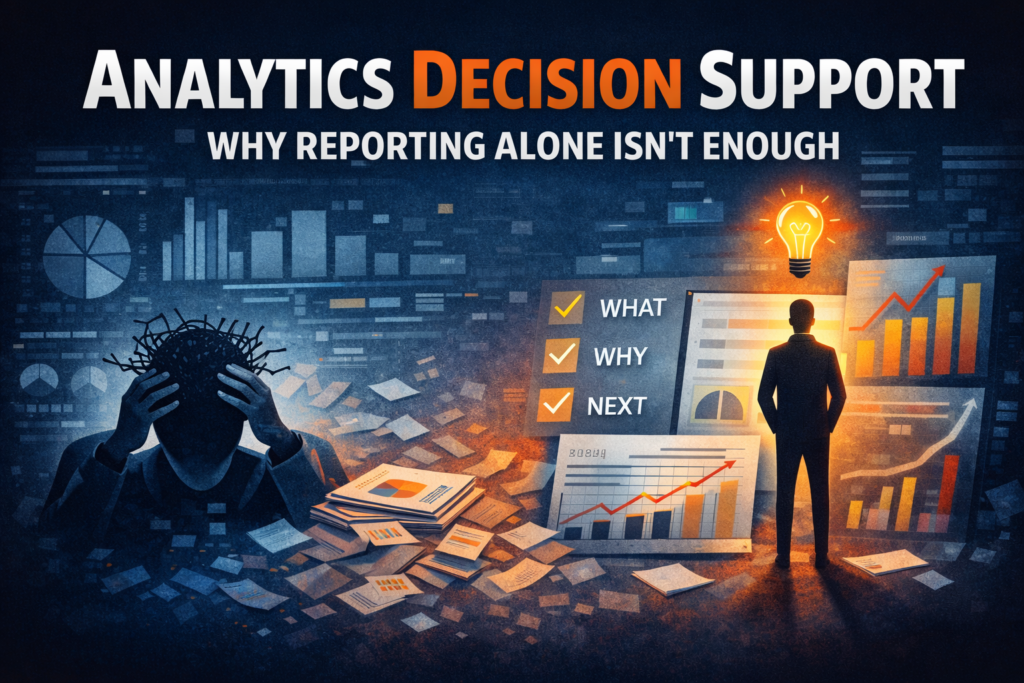
Analytics Decision Support: Why Reporting Alone Isn’t Enough
- Dashboards don’t drive decisions.
- Data, charts, and insight are not the same thing.
- Data overload is making decision-making harder, not easier.
So now we need to reset the conversation. Because if dashboards aren’t the answer, and more data isn’t the answer, then what is analytics actually for?
Here’s the shift. Analytics exists to create clarity, not complexity.
The reporting trap
Most organisations treat analytics as a reporting function.
- Track everything
- Measure everything
- Make everything visible
The assumption is that transparency equals progress. That if we just expose enough data, the right decisions will follow.
But reporting and decision-making are not the same activity.
Reporting answers the question:
What has happened?
Analytics decision support answers a much more demanding one:
What should we do next?
When analytics stops at reporting, it often becomes descriptive rather than directional. It shows performance but avoids interpretation. It presents numbers but doesn’t prioritise meaning.
And that’s how you end up with dashboards that are technically accurate but strategically unhelpful.
Analytics is about making sense of complexity
Modern organisations are complex by default.
- Multiple systems.
- Multiple teams.
- Multiple objectives.
- Conflicting incentives.
Analytics should help navigate that complexity.
It should identify which signals matter. Which patterns are meaningful? Which changes require attention. It is not about tracking everything that can be measured. It is about selecting what should influence behaviour. As I have said many times people do what you measure them by. When analytics tries to represent the full complexity of the organisation without filtering it, it mirrors chaos instead of reducing it.
Good analytics simplifies without oversimplifying.
Clarity is the real outcome
Clarity is not a soft concept. It is a practical, observable outcome. Clarity means someone can look at a report and understand:
- What’s happening
- Why it’s happening
- What decision is required
If any of those are missing, clarity hasn’t been achieved.
A dashboard that increases confusion, sparks debate over interpretation, or requires verbal explanation every time it’s used is not creating clarity. It’s outsourcing thinking. And when thinking is outsourced to already busy stakeholders, decisions slow down.
Complexity is easy. Clarity is hard.
It is much easier to build a complex dashboard than a clear one. Complex dashboards feel safe. They show your working. They demonstrate thoroughness. They reduce the risk of being accused of omission. Clear dashboards require judgement.
They require you to decide:
- Which metrics truly matter for this decision?
- What can be removed?
- What conclusion is the data pointing toward?
That level of intentionality can feel uncomfortable. But it’s exactly what separates reporting from analytics decision support.
The mindset shift that changes everything
Here is the critical distinction: Analytics is not a reporting function. It is a decision-support function.
That single shift changes how you design everything. If analytics is reporting, your success metric becomes coverage and accuracy. If analytics is decision-support, your success metric becomes clarity and action.
You start asking different questions:
- What decision is this report helping to unblock?
- Who owns that decision?
- What would change if we had clarity?
And once those questions are clear, the design naturally follows.
You stop adding charts “just in case”. You stop tracking metrics that don’t influence behaviour. You start structuring reports with beginnings, middles, and ends.
When analytics does its job properly
You know analytics is working when:
- Meetings get shorter
- Conversations move quickly from “What does this mean?” to “Here’s what we’re doing.”
- Disagreements reduce because interpretation is aligned.
- Confidence increases, even when the news isn’t good.
That’s the real test. Not how many dashboards exist (or how interactive they are), but whether they help someone decide.
Why this is difficult in practice
Most analytics teams are trained technically, not structurally. They learn modelling, DAX, visualisation techniques, performance tuning. What they’re rarely taught is how to design analytics around decisions. They’re rewarded for being right. Not for being useful. So dashboards optimise for completeness instead of clarity. This is not a tooling issue. It’s a framing issue. And until analytics is positioned as decision-support inside the organisation, the same problems will keep resurfacing — no matter how advanced the platform.
This is the shift inside the Accelerator
One of the core reframes inside the Data Accelerator is resetting the purpose of analytics. We work with teams to:
- Define the decision before touching the data
- Identify the 3–5 signals that genuinely matter
- Structure reports around clarity
- Explicitly state implications
When that shift happens, analytics stops being a passive layer of information and becomes an active part of decision-making. Not louder. Not denser. Clearer.
A simple test
Look at your most important dashboard and ask:
If this report disappeared tomorrow, what decision would be harder to make?
If the answer is “none”, you’re reporting. If the answer is clear and specific, you’re supporting decisions. Analytics exists to create clarity. Everything else is noise.
If you would like to discuss analytics decision support in your business, feel free to book a call or reach out and connect with us on Linkedin
News
Berita Teknologi
Berita Olahraga
Sports news
sports
Motivation
football prediction
technology
Berita Technologi
Berita Terkini
Tempat Wisata
News Flash
Football
Gaming
Game News
Gamers
Jasa Artikel
Jasa Backlink
Agen234
Agen234
Agen234
Resep
Cek Ongkir Cargo
Download Film

SQL Server 2025 Reporting Services: SSRS Replaced by Power BI Report Server
A quick recap: what SSRS used to be
SSRS has long been the default Microsoft option for on-premises, server-hosted reporting. It’s best known for paginated reports (RDL): highly formatted, page-based reports designed for printing, exporting to PDF, or distributing by email.
It has been the workhorse for operational reporting in countless SQL Server estates, and for good reason: it’s reliable, mature, and fits well into traditional IT governance.
However, Microsoft has confirmed that SSRS 2022 is the final release of SSRS, and that there is no SSRS “version” shipping with SQL Server 2025.
Reference:
Reporting Services consolidation FAQ (Microsoft Learn)
So what replaces SSRS in SQL Server 2025?
The consolidated on-premises reporting platform is now Power BI Report Server (often referred to informally as “Power BI Reporting Services”).
Power BI Report Server is an on-premises server product that supports:
- Paginated reports (RDL) — the same report type SSRS was built for
- Interactive Power BI reports (PBIX) hosted on-premises
- A modern web portal experience, security integration, and standard report management capabilities
In other words: rather than shipping and maintaining two separate on-premises products (SSRS for RDL and Power BI for interactive reporting), Microsoft has aligned the on-premises story around a single report server.
Reference:
SQL Server 2025 announcement (Microsoft Tech Community)
Is SSRS and Power BI Report Server “bundled into the same product”?
Not as two separate installs. The practical change is this:
- SSRS is not included with SQL Server 2025 as a new, updated SSRS release.
- Power BI Report Server is the consolidated on-premises reporting product going forward.
- Power BI Report Server supports both RDL (paginated) and PBIX (interactive) reports on-premises.
So if your question is: “Do I now have one on-premises reporting platform that covers both SSRS-style paginated reporting and Power BI-style interactive reporting?” the answer is effectively yes, via Power BI Report Server.
If your question is: “Is SSRS still bundled as its own separate reporting feature in SQL Server 2025?” — the answer is no.
Why this matters for organisations running SSRS today
If you’re currently using SSRS heavily, you do not need to panic, but you do need a plan.
SSRS 2022 remains supported under its lifecycle, but Microsoft’s direction is clear: future on-premises reporting investment is centred on Power BI Report Server.
This matters because many estates still treat SSRS as a default dependency, embedded in operational workflows, tightly coupled with SQL Agent jobs, triggered exports, scheduled subscriptions, and business-critical PDF pipelines.
The good news is that RDL and paginated reports remains a first-class citizen in the on-premises world via Power BI Report Server, you’re not being forced to redesign everything as dashboards overnight.
What should you do next?
Here’s a sensible, low-risk approach:
- Catalogue your SSRS reports and classify them (operational/regulatory / management / ad-hoc).
- Identify the “hard” ones: complex subscriptions, custom extensions, unusual authentication, or legacy dependencies.
- Stand up Power BI Report Server in a test environment and validate a representative set of RDL reports.
- Decide your target model: on-premises PBIRS, cloud Power BI, or a hybrid approach.
Reference:
Power BI Report Server overview (Power BI)
Conclusion
SQL Server 2025 marks a clear change in Microsoft’s reporting roadmap. SSRS as a standalone product isn’t moving forward in new SQL Server releases, and Power BI Report Server is now the consolidated on-premises reporting platform that supports both paginated (RDL) and interactive Power BI reporting.
If you’re responsible for an on-premises SQL Server estate, now is the time to understand the shift, assess your SSRS footprint, and plan your reporting future in a controlled way, before the change becomes urgent in a few years time.
Need help migrating from SSRS?
If you’re running SQL Server and relying on SSRS for operational reporting, now is the time to plan your next move.
We help organisations:
- Audit and rationalise SSRS estates
- Design and deploy Power BI Report Server environments
- Migrate reports safely with minimal disruption
- Modernise reporting architecture (on-premises, cloud, or hybrid)
- Improve performance, security, and governance
Whether you need a structured migration plan, hands-on technical support, or strategic guidance on your reporting roadmap,
we can help you move forward with confidence.
Book a Reporting Strategy Call
Useful Links
News
Berita Teknologi
Berita Olahraga
Sports news
sports
Motivation
football prediction
technology
Berita Technologi
Berita Terkini
Tempat Wisata
News Flash
Football
Gaming
Game News
Gamers
Jasa Artikel
Jasa Backlink
Agen234
Agen234
Agen234
Resep
Cek Ongkir Cargo
Download Film
Why Reporting Slows Down as Organisations Grow
In the early days, reporting feels easy.
A few systems.
A small team.
Clear questions.
Someone asks for a number, and it appears.
But as organisations grow, something strange happens.
Despite better tools, bigger teams, and more data than ever before, reporting gets slower, not faster.
And nobody can quite explain why.
Growth adds complexity before it adds clarity
Growth introduces:
- New systems
- New products
- New regions
- New stakeholders
Each addition makes sense in isolation. Collectively, they create complexity. The reporting problem doesn’t arrive all at once. It creeps in quietly.
One more data source.
One more exception.
One more “just this once” metric.
Over time, simple questions become hard to answer.
Reporting slows because alignment doesn’t scale automatically
When organisations are small:
- People share context informally
- Definitions are implicit
- Decisions happen in the same room
As organisations grow:
- Teams specialise
- Context fragments
- Assumptions diverge
What used to be “obvious” now needs to be documented, agreed, governed, and maintained. Most organisations never pause to do that work. So reporting slows, not because people are inefficient, but because alignment has quietly disappeared.
Every new stakeholder adds friction
As more people rely on reporting:
- More interpretations appear
- More edge cases matter
- More reassurance is required
A number is no longer just a number.
It needs:
- Explanation
- Justification
- Lineage
- Caveats
Leaders don’t just want the answer. They want confidence in the answer. That confidence takes time to build when it hasn’t been designed in.
Reporting becomes a negotiation, not a process
In many growing organisations, reporting turns into a negotiation.
- Finance has one view
- Operations has another
- Sales has a third
Each is technically “right” from their perspective.
Reports bounce back and forth:
- “Can you tweak this?”
- “That’s not how we define it”
- “The board asked for something different”
None of this is caused by bad intent. It’s caused by missing agreement.
Tooling improves faster than decision design
This is the paradox many leaders struggle with. Reporting slows after investing in:
- Better BI tools
- Modern data platforms
- More automation
Why?
Because tooling improves access to data, but not agreement on meaning.
Without:
- Clear decision ownership
- Stable definitions
- Explicit priorities
Every improvement in capability simply exposes more inconsistency. More power, more confusion.
Manual work creeps back in
When trust drops and speed matters, people compensate.
They:
- Export to Excel
- Create shadow models
- Build “one-off” reports for exec meetings
- Add manual checks “just to be safe”
Each workaround feels sensible in the moment. Together, they slow everything down. Reporting becomes brittle, labour-intensive, and dependent on a few individuals.
That’s usually when leaders say:
“Why does this take so long now?”
Growth increases risk sensitivity
As organisations grow, the cost of being wrong increases. A small discrepancy that once didn’t matter now:
- Goes to the board
- Impacts investor confidence
- Influences regulatory decisions
So people slow down deliberately.
More checks.
More reviews.
More sign-offs.
This isn’t inefficiency. It’s self-protection in the absence of confidence.
Reporting slows when clarity is missing upstream
The root cause is rarely the report itself. Reporting slows because:
- Metrics aren’t truly agreed
- Ownership is blurred
- Decision intent is unclear
- Trust has to be rebuilt every time
When those foundations are weak, speed is impossible, no matter how good the tools are.
What growing organisations do differently
Organisations that maintain reporting speed as they scale tend to:
- Decide which metrics really matter
- Assign clear ownership to those metrics
- Accept that not everything needs to be reported
- Design reporting around decisions, not curiosity
- Treat reporting as a product, not a by-product
They invest in clarity before complexity overwhelms them.
Why this matters
When reporting slows:
- Decisions slow
- Opportunities are missed
- Frustration rises on all sides
Teams work harder. Leaders wait longer. Confidence quietly erodes. The danger isn’t slow reporting. The danger is normalising it.
Where this fits in the series
This article completes the series:
- Why Dashboards Fail
- Why Platforms Don’t Fix Broken Data Culture
- Monitoring vs Observability for Business Leaders
- Why Reporting Slows Down as Organisations Grow
Together, they describe a single problem:
Organisations outgrow their original approach to data, without realising it.
This is also why many organisations seek help after dashboards disappoint, platforms underdeliver, and reporting feels heavier every year.
A better question for leaders
Instead of asking:
“Why is reporting so slow now?”
A more useful question is:
“What assumptions about data and decision-making have we outgrown?”
Answering that question is usually the turning point.
Useful Links
Data Platform Accelerator
When the Data Is Right (and I Ignore It Anyway)
News
Berita Teknologi
Berita Olahraga
Sports news
sports
Motivation
football prediction
technology
Berita Technologi
Berita Terkini
Tempat Wisata
News Flash
Football
Gaming
Game News
Gamers
Jasa Artikel
Jasa Backlink
Agen234
Agen234
Agen234
Resep
Cek Ongkir Cargo
Download Film